What's the difference between a template and a shortcut?
Last updated: June 9, 2026
Both turn your meeting into an output. The difference is who built it and how it works.
A template is an expertly designed output format built by Contented.
A shortcut is a quick instruction you write yourself to get an output specific to your workflow.
Here's the simple version: templates are the polished, ready-to-go formats we maintain for you. They're often derived from documentation, and they are incredibly reliable. Shortcuts are your own quick way to get something more tailored, saved in your library so you never have to write the instructions twice.
Templates
Templates are the buttons you already know and love. Each one is a sophisticated, expertly designed format that turns a recording into a consistent, structured document. Pick one, hit create, and you get a clean, structured document back.
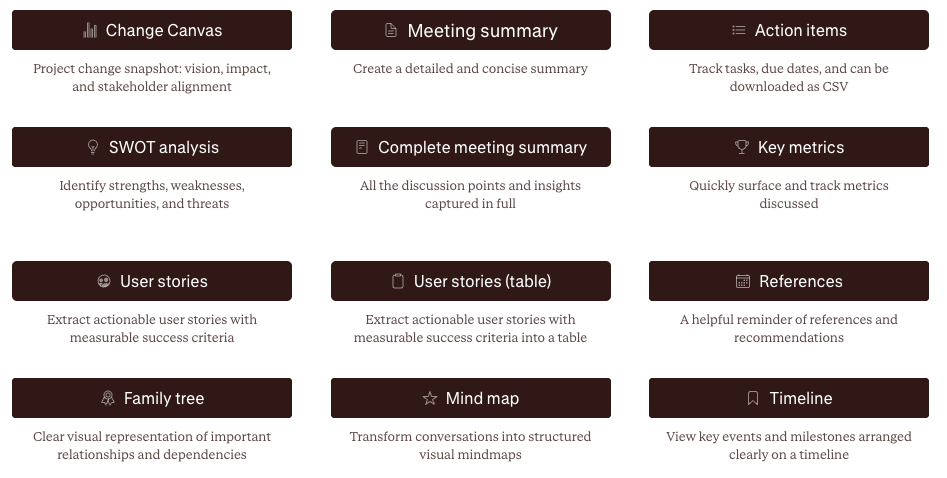
There's a lot of work underneath each of these buttons. Every template runs on layers of AI workflows, formatting rules, and accuracy checks, all grounded in best practice for that kind of document. Some are built on 20+ page specifications that define exactly how the output should be researched, structured, and written.
That depth is why templates are worth reaching for:
We build and test them. You get a robust, reliable result every time, without writing a thing.
They guard against hallucination. The workflows keep the output faithful to what was actually said, with checks designed to stop the model inventing detail.
They're consistent across your team. Everyone running the same template gets the same shape of output.
They're one click. All of that sits behind a single button.
Reach for a template when you want a dependable, standardised result. If you need a risk matrix or a formal meeting minute, this is your tool. We also can make custom templates.
Shortcuts
A shortcut is your own quick instruction for a custom output. A follow-up email in your voice after a client call. A recognition message for someone who stood out in the meeting. Write the instruction once, save it, and reuse it whenever you like.
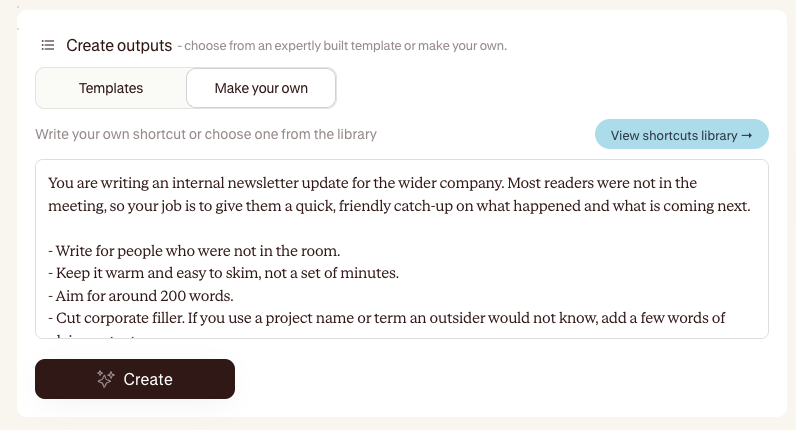
Shortcuts are flexible and fast:
You build them. Write a short instruction describing the output you want, give it a title, and save it.
They live in your library. Browse them, star the ones you use most, and sort by what's proving useful.
You can share them. On a team plan, share a shortcut so everyone in your workspace can use it. (Sharing is a team-plan feature. Creating shortcuts for yourself is available on any paid plan.)
We also fill your library with Contented shortcuts to get you started, so it's never empty when you open it.
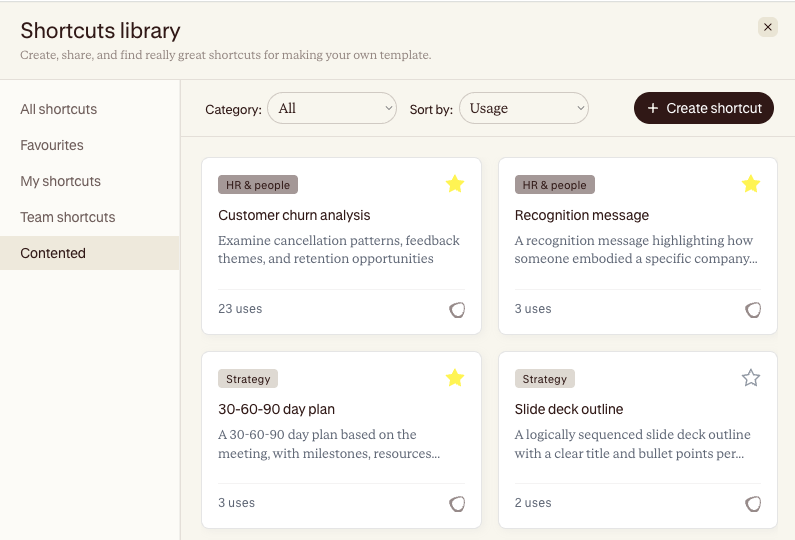
Use a shortcut when you want something quick and specific to how you work, and when a full template would be overkill.
Which one should I use?
Start with a template. Our templates cover most of what you'll need and give you the most reliable result. When you find yourself wanting something a bit different, something specific to you or your team, build a shortcut.
The two work together. Templates give you structure and consistency. Shortcuts give you speed and flexibility for the outputs that are uniquely yours.
A quick way to remember it:
Template: built by Contented, best-practice and dependable, one click.
Shortcut: built by you, quick and custom, saved and reusable.