Contented Support Widget
Last updated: May 18, 2026
What is the Contented support widget?
The support widget gives you quick access to a live chat with the Contented team, our knowledge base, and product announcements - all without leaving your workspace.
Where to find it
The widget is located in the bottom right corner of your Contented workspace, just above the Download Outputs button. Look for the chat bubble icon.
Click the chat bubble icon to open the widget.
The widget will open with a welcome screen showing three things: a search bar, a live chat option, and a Bookmarks section.
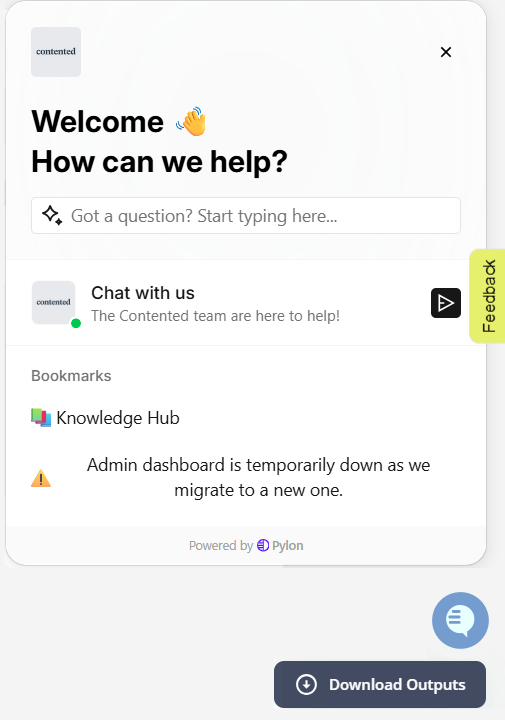
Search the Contented knowledge hub for answers
Before reaching out, it's worth searching our knowledge hub - there's a good chance your question is already answered.
Click into the search bar at the top of the widget ("Got a question? Start typing here...").
Type a keyword related to your question - for example, "adding speakers."
Matching knowledge base articles will appear below as you type.
Click on an article to open it directly in the widget and read it without leaving your workspace.
Good to know: The search pulls from our full knowledge base, so you'll get the same results as browsing the Knowledge Hub directly.
Chat with us
If you can't find what you're looking for, the Contented team is available via live chat.
Click 'Chat with us' in the widget.
Type your message in the chat box at the bottom.
Hit the send button (the arrow icon) when you're ready.
Good to know: You're chatting with a real person from the Contented team, not a bot. We'll get back to you as soon as we can - you don't need to wait on this screen. We'll notify you when there's a reply.
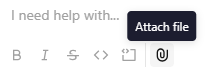
Top tip: Click the paperclip icon to attach a screenshot - it helps the team understand and fix your issue faster.
Bookmarks
The Bookmarks section gives you one-click access to useful resources and important notices.
Knowledge Hub - a direct link to browse all support articles in one place.
Announcements
This section keeps you informed of any important updates or known product issues. If something's temporarily down or changed, you'll see it here first.
You're all set. Whenever you need help, the support widget is your first stop - search, chat, and stay informed without ever leaving your Contented workspace.