How to add or edit speakers
Last updated: May 11, 2026
You can easily add or adjust speakers. Here's how to manage your speakers:
Steps to add or edit speakers
Click View Details to go to the Conversation Management page
Use the Label [X] Speakers panel on the right side to:
Add any missing speakers
Rename speakers to match your attendees
Save your changes
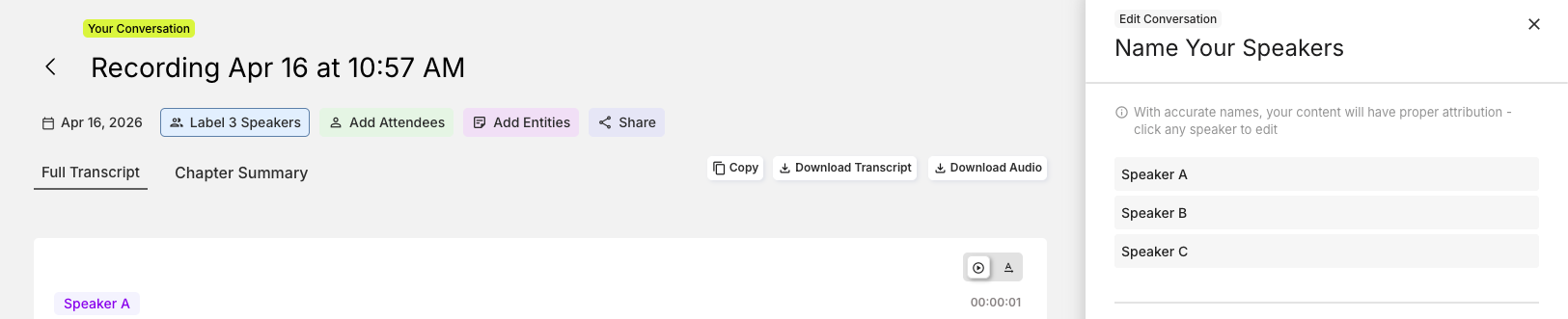
The speaker management panel allows you to customise speaker names to better reflect who was actually speaking in your recording, making your transcripts more organised and easier to follow.